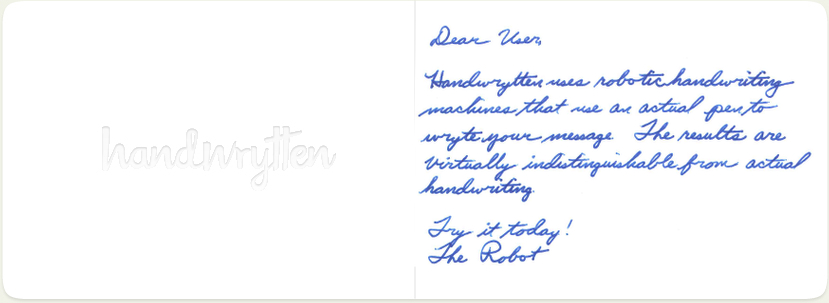
Send personalized, handwritten cards to anyone using the Handwrytten API. Choose from a variety of handwriting styles, customize cards with your logo, and automate your card-sending workflow at any scale.
During development your account can be switched to test mode on the Integrations page in your dashboard. In test mode, orders are accepted normally but are not fulfilled. Payments are authorized but not captured, so any pending charge will drop off without posting. Just make sure to switch back to live mode before going live.
If you're working in Python or JavaScript/TypeScript, you can use one of the official client packages instead of making raw API calls:
handwrytten on PyPIhandwrytten on npm
Documentation for each package is available on the respective package page.Authenticate by including your API key in the Authorization request header — pass the key directly, with no Bearer: prefix:
Authorization: YOUR_API_KEY
API keys can be created and managed on the Integrations page in your dashboard.
Note: Authentication using login/password via
/auth/authorizationis deprecated. It remains supported for existing integrations but is not recommended for new ones.
Creates and submits a complete order in a single API call. This is the most commonly used endpoint — for most integrations, it's the only one you'll need.
Requires an API key in the Authorization header. See the Integrations page in your dashboard to generate one.
| uid | string Deprecated Deprecated. Pass your API key in the |
| login | string Deprecated Deprecated. Use API key authentication instead. |
| password | string Deprecated Deprecated. Use API key authentication instead. |
| card_id required | integer Id of the card you want to send |
| denomination_id | integer Optional. Use if sending a gift card |
| message required | string The body of the message. Use '\n' for new lines |
| wishes | string The right-shifted closing part of the note |
| font_label required | string The colloquial name of the font, such as 'Fancy Jenna' or 'Casual David' |
| credit_card_id | integer The credit card id to charge for the order. |
| insert_id | integer Insert id for the order |
| couponCode | string Coupon code |
| date_send | string Send date |
| validate_address | boolean |
| delivery_confirmation | boolean Request delivery confirmation for the order |
| webhook_url | string Webhook URL |
| sender_first_name | string |
| sender_last_name | string |
| sender_address1 required | string |
| sender_address2 | string |
| sender_city required | string |
| sender_zip required | string |
| sender_state | string Required for US and Canada (country id 1 or 2) |
| sender_country_id | integer Default: 1 1 (United States) by default |
| sender_country | string United States by default |
| recipient_first_name | string |
| recipient_last_name | string |
| recipient_address1 required | string |
| recipient_address2 | string |
| recipient_city required | string |
| recipient_zip required | string |
| recipient_state | string Required for US and Canada (country id 1 or 2) |
| recipient_country_id | integer Default: 1 1 (United States) by default |
| recipient_country | string United States by default |
| client_metadata | string Order metadata |
{- "uid": "dlqwjkqwdlkjqwdq09302184383",
- "login": "john@jjf.com",
- "password": "8yfqwiuy@!$",
- "card_id": 3404,
- "denomination_id": 12,
- "message": "Dear Frank,\nThank you so much for your interest in our services.",
- "wishes": "All the best,\nJoe",
- "font_label": "Chill Charity",
- "credit_card_id": 34124,
- "insert_id": 0,
- "couponCode": "string",
- "date_send": "string",
- "validate_address": true,
- "delivery_confirmation": true,
- "webhook_url": "string",
- "sender_first_name": "string",
- "sender_last_name": "string",
- "sender_address1": "string",
- "sender_address2": "string",
- "sender_city": "string",
- "sender_zip": "string",
- "sender_state": "string",
- "sender_country_id": 1,
- "sender_country": "string",
- "recipient_first_name": "string",
- "recipient_last_name": "string",
- "recipient_address1": "string",
- "recipient_address2": "string",
- "recipient_city": "string",
- "recipient_zip": "string",
- "recipient_state": "string",
- "recipient_country_id": 1,
- "recipient_country": "string",
- "client_metadata": "string"
}{- "httpCode": 200,
- "status": "ok",
- "order_id": 196936,
- "mail_sent": 0
}Verifies that the provided API key or token is valid. Useful for validating a saved API key before storing it, or checking whether a uid token is still active before making other calls.
{- "httpCode": 200,
- "status": "ok",
- "login": "example@example.com",
- "has_no_password": true,
- "last": "google",
- "test_mode": 0
}Returns profile and account information for the user associated with the API key, including name, email, billing address, and credits. Most integrations won't need this — the main use case is checking remaining credits.
| Authorization required | string User's token or API key |
{- "httpCode": 200,
- "status": "ok",
- "id": 0
}Switches test mode on or off for the user associated with the API key. Pass 1 to enable test mode or 0 to return to live mode.
In test mode, orders are accepted and processed normally but are not fulfilled. Credit balances are checked but not deducted, and payments are authorized but not captured — any pending charge will drop off without posting.
| test_mode | integer Enum: 0 1 |
{- "test_mode": 0
}{- "httpCode": 200,
- "status": "ok",
- "test_mode": 0
}Invalidates a uid token obtained via the deprecated login/password authentication. Tokens expire automatically, but this call can be used to force-invalidate one immediately if needed for security reasons.
Not applicable when using API key authentication.
| uid required | string |
{- "uid": "7f736a7b02bd460ca1953d926716bb51"
}Get a list of all cards available to the user, including any custom or privately-available cards.
| category_id | integer Category ID |
| with_images | boolean |
| with_detailed_images | boolean |
| page | integer page number, numeration starts with 0 |
| lowres | boolean |
{- "httpCode": 200,
- "status": "ok",
- "cards": [
- {
- "id": 36,
- "name": "Birthday Wishes",
- "description": "string",
- "cover": "string",
- "cover_width": 355,
- "cover_height": 250,
- "inside_image": "string",
- "price": 3.7,
- "category_id": 7,
- "category_name": "Birthday",
- "category_taxonomy": "NONE",
- "available_free": true,
- "orientation": "P",
- "characters": 340,
- "isCustom": true,
- "customCardInfo": {
- "id": "string",
- "card_id": "string",
- "cover_id": "string",
- "logo_id": "string",
- "header_text": "string",
- "footer_text": "string",
- "header_font_size": "string",
- "footer_font_size": "string",
- "header_font_id": "string",
- "footer_font_id": "string",
- "header_align": "string",
- "footer_align": "string",
- "canvas_data": "string",
- "cover_size_percent": "string",
- "logo_size_percent": "string"
}, - "closed_height": 3.88,
- "closed_width": 4,
- "open_height": 3.88,
- "open_width": 7.75,
- "margin_top": 0.25,
- "margin_right": 0.25,
- "margin_bottom": 0.25,
- "margin_left": 0.25,
- "font_size": 30,
- "details_size": "4″ x 3.88″",
- "details_envelope": "string",
- "details_author": "string"
}
], - "pagination": {
- "is_last": true,
- "next": 0,
- "per_page": 1000
}
}Get a list of cards available to the user, grouped by categories.
| category_id | integer Category ID |
| with_images | boolean |
| with_detailed_images | boolean |
| page | integer page number, numeration starts with 0 |
| lowres | boolean |
{- "httpCode": 200,
- "status": "ok",
- "cards": [
- {
- "id": 7,
- "key": "Birthday",
- "value": [
- { }
]
}
], - "discount": 0
}Get detailed information about a card.
| card_id required | integer Card ID |
| lowres | boolean |
{- "httpCode": 200,
- "status": "ok",
- "card": {
- "id": 36,
- "name": "Birthday Wishes",
- "cover": "string",
- "cover_width": 355,
- "cover_height": 250,
- "price": 3.7,
- "category_id": 7,
- "category_name": "Birthday",
- "available_free": true,
- "orientation": "P",
- "description": "string",
- "width": 34,
- "height": 10,
- "characters": 340,
- "closed_height": 3.88,
- "closed_width": 4,
- "open_height": 3.88,
- "open_width": 7.75,
- "margin_top": 0.25,
- "margin_right": 0.25,
- "margin_bottom": 0.25,
- "margin_left": 0.25,
- "font_size": 30,
- "details_size": "4″ x 3.88″",
- "details_envelope": "string",
- "details_author": "string",
- "isCustomized": true,
- "images": {
- "front": [
- {
- "image": "string",
- "width": 0,
- "height": 0
}
], - "inside": [
- {
- "image": "string",
- "width": 0,
- "height": 0
}
], - "envelope": [
- {
- "image": "string",
- "width": 0,
- "height": 0
}
], - "back": [
- {
- "image": "string",
- "width": 0,
- "height": 0
}
]
}
}
}{- "httpCode": 200,
- "status": "ok",
- "categories": [
- {
- "id": 27,
- "name": "Customizable Cards",
- "checked": true,
- "taxonomy": "CUSTOMIZED",
- "icon": "string",
- "slug": "custom_cards",
- "meta_title": "Customizable Cards",
- "meta_description": "Customizable Cards"
}
]
}Creates and submits a complete order in a single API call. This is the most commonly used endpoint — for most integrations, it's the only one you'll need.
Requires an API key in the Authorization header. See the Integrations page in your dashboard to generate one.
| uid | string Deprecated Deprecated. Pass your API key in the |
| login | string Deprecated Deprecated. Use API key authentication instead. |
| password | string Deprecated Deprecated. Use API key authentication instead. |
| card_id required | integer Id of the card you want to send |
| denomination_id | integer Optional. Use if sending a gift card |
| message required | string The body of the message. Use '\n' for new lines |
| wishes | string The right-shifted closing part of the note |
| font_label required | string The colloquial name of the font, such as 'Fancy Jenna' or 'Casual David' |
| credit_card_id | integer The credit card id to charge for the order. |
| insert_id | integer Insert id for the order |
| couponCode | string Coupon code |
| date_send | string Send date |
| validate_address | boolean |
| delivery_confirmation | boolean Request delivery confirmation for the order |
| webhook_url | string Webhook URL |
| sender_first_name | string |
| sender_last_name | string |
| sender_address1 required | string |
| sender_address2 | string |
| sender_city required | string |
| sender_zip required | string |
| sender_state | string Required for US and Canada (country id 1 or 2) |
| sender_country_id | integer Default: 1 1 (United States) by default |
| sender_country | string United States by default |
| recipient_first_name | string |
| recipient_last_name | string |
| recipient_address1 required | string |
| recipient_address2 | string |
| recipient_city required | string |
| recipient_zip required | string |
| recipient_state | string Required for US and Canada (country id 1 or 2) |
| recipient_country_id | integer Default: 1 1 (United States) by default |
| recipient_country | string United States by default |
| client_metadata | string Order metadata |
{- "uid": "dlqwjkqwdlkjqwdq09302184383",
- "login": "john@jjf.com",
- "password": "8yfqwiuy@!$",
- "card_id": 3404,
- "denomination_id": 12,
- "message": "Dear Frank,\nThank you so much for your interest in our services.",
- "wishes": "All the best,\nJoe",
- "font_label": "Chill Charity",
- "credit_card_id": 34124,
- "insert_id": 0,
- "couponCode": "string",
- "date_send": "string",
- "validate_address": true,
- "delivery_confirmation": true,
- "webhook_url": "string",
- "sender_first_name": "string",
- "sender_last_name": "string",
- "sender_address1": "string",
- "sender_address2": "string",
- "sender_city": "string",
- "sender_zip": "string",
- "sender_state": "string",
- "sender_country_id": 1,
- "sender_country": "string",
- "recipient_first_name": "string",
- "recipient_last_name": "string",
- "recipient_address1": "string",
- "recipient_address2": "string",
- "recipient_city": "string",
- "recipient_zip": "string",
- "recipient_state": "string",
- "recipient_country_id": 1,
- "recipient_country": "string",
- "client_metadata": "string"
}{- "httpCode": 200,
- "status": "ok",
- "order_id": 196936,
- "mail_sent": 0
}Adds an order to the basket without submitting. Supports both single and bulk recipients. Once all orders are added, call /basket/send to process payment and submit the orders.
| uid | string Deprecated Deprecated. Pass your API key in the |
| card_id | integer The ID of the card to send. |
| return_address_id | integer If not provided, the account's default return address will be used. |
| address_id | integer Deprecated A single address id to send an order to. Alternatively, use an array of addresses. |
| address_ids | Array of integers Required if addresses is not present |
Array of objects Required if address_ids is not present, for bulk order, from | |
| font | string font id |
| font_size | integer |
| auto_font_size | boolean |
| for_free | boolean |
| couponCode | string |
| denomination_id | integer |
| insert_id | integer |
| quantity | integer Deprecated |
| check_quantity | boolean check cards and inserts quantity in stock, return |
| delivery_confirmation | boolean Request delivery confirmation for the order |
| client_metadata | string Card metadata |
{- "uid": "string",
- "card_id": 13,
- "return_address_id": 0,
- "address_id": 0,
- "address_ids": [
- 0
], - "addresses": [
- {
- "to_first_name": "Joe",
- "to_last_name": "Smith",
- "to_business_name": "Smith Actuators",
- "to_address1": "123 Main Street",
- "to_address2": "Suite 321",
- "to_city": "Chicago",
- "to_state": "IL",
- "to_zip": "60614",
- "to_country": "United States",
- "return_first_name": "Ronnie",
- "return_last_name": "Return",
- "return_business_name": "Return Reversals Inc",
- "return_address1": "321 East St",
- "return_address2": "Apt 201",
- "return_city": "Phoenix",
- "return_state": "AZ",
- "return_zip": "85258",
- "return_country": "United States",
- "message": "Dear Joe,\nThanks for all the fish.",
- "wishes": "All the best,\nRonnie",
- "signature_id": 12,
- "date_send": "2019-07-22T03:45:09.000Z",
- "signature2_id": 0
}
], - "font": "hwDavid",
- "font_size": 13,
- "auto_font_size": true,
- "for_free": true,
- "couponCode": "string",
- "denomination_id": 0,
- "insert_id": 0,
- "quantity": 0,
- "check_quantity": true,
- "delivery_confirmation": true,
- "client_metadata": "string"
}{- "httpCode": 200,
- "status": "ok",
- "order_id": 725563
}Returns full details for a given order, including status, recipient address, card, pricing, and delivery information. Most commonly used to check order status or delivery confirmation status (if delivery confirmation was added to the order).
| id required | integer Example: id=725563 Order id |
{- "httpCode": 200,
- "status": "ok",
- "order": {
- "id": 725563,
- "basket_id": 196936,
- "for_free": true,
- "date_created": 1549260840,
- "message": "TEST! This is a test message.",
- "message_orig": "TEST! This is a test message.",
- "font": "hwWill",
- "fontInfo": {
- "id": "astDunn",
- "label": "Casual David",
- "sort": "0",
- "on_custom": "0",
- "font_eot_file": "string",
- "font_name": "astDunn",
- "visible": "1",
- "user_group_id": "string"
}, - "address_from": {
- "id": 123,
- "type": "user_from",
- "user_id": 12345,
- "order_id": null,
- "name": "John Smith",
- "business_name": "Handwrytten",
- "address1": "9280 S. Kyrene Rd.",
- "address2": "Suite",
- "city": "Tempe",
- "state": "AZ",
- "zip": 85284,
- "date_created": "2023-01-01T01:02:03.000Z",
- "date_updated": null,
- "basket_id": null,
- "country": "United States",
- "delivery_cost": 0.63,
- "country_id": 1,
- "first_name": "John",
- "last_name": "Smith",
- "birthday": null,
- "anniversary": null,
- "address_id": null,
- "ext_id": null,
- "country_obj": {
- "id": 1,
- "name": "United States",
- "delivery_cost": 0.63
}
}, - "address_to": { },
- "price": 7,
- "used_credit": 7,
- "payed": 0,
- "status": "suspended",
- "date_day": "4",
- "date_month": "Feb",
- "date_year": "2019",
- "date_send": "2024-02-04T00:00:00.000Z",
- "card_category_name": "Birthday",
- "card_name": "So Glad You Were Born!",
- "multiaddress": 1,
- "is_bulk": 1,
- "delivery_cost": 0,
- "notes": "string",
- "test_mode": 0,
- "tax": "string",
- "refund_status": -2,
- "wishes": "string",
- "signature_id": 0,
- "signature_preview": "string",
- "signature2_id": 0,
- "signature2_preview": "string",
- "card": {
- "id": 44,
- "name": "So Glad You Were Born!",
- "cover": "string",
- "price": 14,
- "price_orig": 0,
- "category_id": 7,
- "quantity": 2,
- "delivery_cost": 0
}, - "card_dimensions": {
- "closed_width": "4.25",
- "closed_height": "5.5",
- "margin_top": "0.25",
- "margin_right": "0.25",
- "margin_bottom": "0.25",
- "margin_left": "0.25",
- "font_size": "32",
- "half_inside": "string"
}, - "quantity": 2,
- "childs": [
- {
- "id": 725564,
- "message": "string",
- "address_to": {
- "id": 123,
- "type": "user_from",
- "user_id": 12345,
- "order_id": null,
- "name": "John Smith",
- "business_name": "Handwrytten",
- "address1": "9280 S. Kyrene Rd.",
- "address2": "Suite",
- "city": "Tempe",
- "state": "AZ",
- "zip": 85284,
- "date_created": "2023-01-01T01:02:03.000Z",
- "date_updated": null,
- "basket_id": null,
- "country": "United States",
- "delivery_cost": 0.63,
- "country_id": 1,
- "first_name": "John",
- "last_name": "Smith",
- "birthday": null,
- "anniversary": null,
- "address_id": null,
- "ext_id": null,
- "country_obj": {
- "id": 1,
- "name": "United States",
- "delivery_cost": 0.63
}
}, - "status": "suspended",
- "delivery_cost": 0,
- "price": 3.5,
- "used_credit": 3.5,
- "tax": "string",
- "address_from": {
- "id": 123,
- "type": "user_from",
- "user_id": 12345,
- "order_id": null,
- "name": "John Smith",
- "business_name": "Handwrytten",
- "address1": "9280 S. Kyrene Rd.",
- "address2": "Suite",
- "city": "Tempe",
- "state": "AZ",
- "zip": 85284,
- "date_created": "2023-01-01T01:02:03.000Z",
- "date_updated": null,
- "basket_id": null,
- "country": "United States",
- "delivery_cost": 0.63,
- "country_id": 1,
- "first_name": "John",
- "last_name": "Smith",
- "birthday": null,
- "anniversary": null,
- "address_id": null,
- "ext_id": null,
- "country_obj": {
- "id": 1,
- "name": "United States",
- "delivery_cost": 0.63
}
}
}
]
}
}Cancel order by order id. Only orders with status paid can be canceled. Orders that have already been processed cannot be canceled and will return 400 error.
| uid | string Deprecated Deprecated. Pass your API key in the |
| order_id | integer The ID of the order to cancel. |
{- "uid": "string",
- "order_id": 725563
}{- "httpCode": 200,
- "status": "ok"
}Submits all orders currently in the basket for processing. Credits are applied first; if the order total exceeds the available credit balance, the remainder is charged to the credit card on file or the one provided in the request.
| uid | string Deprecated Deprecated. Pass your API key in the |
| couponCode | string |
| credit_card_id | integer If provided, it is the id number of the credit card on file to be charged. |
| check_quantity | boolean check cards and inserts quantity in stock, return |
object dictionary of order notes, order id is used as a key | |
object Expected structure price by types of payment. If the structure does not match during the calculation, an error will be returned |
{- "uid": "string",
- "couponCode": "string",
- "credit_card_id": 344,
- "check_quantity": true,
- "notes": {
- "196936": "note 1",
- "196937": "note 2"
}, - "price_structure": {
- "coupon": 10,
- "credit1": 5,
- "credit2": 3.45,
- "money": 1.12
}
}{- "httpCode": 200,
- "status": "ok",
- "items": {
- "property1": {
- "id": "9513",
- "card_id": "863",
- "order_id": "44369",
- "is_bulk": "0",
- "denomination_id": "13",
- "message": "Hello!",
- "wishes": "best regards",
- "signature": {
- "id": 128,
- "name": "My Signature",
- "code": "<sig:25RG>",
}, - "signature2": {
- "id": 128,
- "name": "My Signature",
- "code": "<sig:25RG>",
}, - "for_free": "0",
- "price": "1",
- "discount_code": "string",
- "font": "hwJenna",
- "quantity": "1",
- "date_to_send": "string",
- "delivery_cost": "0.55",
- "intl_quantity": "string",
- "addressId": "108883",
- "address_to": {
- "id": 123,
- "type": "user_from",
- "user_id": 12345,
- "order_id": null,
- "name": "John Smith",
- "business_name": "Handwrytten",
- "address1": "9280 S. Kyrene Rd.",
- "address2": "Suite",
- "city": "Tempe",
- "state": "AZ",
- "zip": 85284,
- "date_created": "2023-01-01T01:02:03.000Z",
- "date_updated": null,
- "basket_id": null,
- "country": "United States",
- "delivery_cost": 0.63,
- "country_id": 1,
- "first_name": "John",
- "last_name": "Smith",
- "birthday": null,
- "anniversary": null,
- "address_id": null,
- "ext_id": null,
- "country_obj": {
- "id": 1,
- "name": "United States",
- "delivery_cost": 0.63
}
}, - "address_from": {
- "id": 123,
- "type": "user_from",
- "user_id": 12345,
- "order_id": null,
- "name": "John Smith",
- "business_name": "Handwrytten",
- "address1": "9280 S. Kyrene Rd.",
- "address2": "Suite",
- "city": "Tempe",
- "state": "AZ",
- "zip": 85284,
- "date_created": "2023-01-01T01:02:03.000Z",
- "date_updated": null,
- "basket_id": null,
- "country": "United States",
- "delivery_cost": 0.63,
- "country_id": 1,
- "first_name": "John",
- "last_name": "Smith",
- "birthday": null,
- "anniversary": null,
- "address_id": null,
- "ext_id": null,
- "country_obj": {
- "id": 1,
- "name": "United States",
- "delivery_cost": 0.63
}
}, - "denomination": {
- "id": "13",
- "nominal": "25",
- "price": "25"
}, - "giftCard": {
- "id": "10",
- "name": "Foot Locker Gift Card"
}, - "fontInfo": {
- "id": "hwJenna",
- "label": "Fancy Jenna"
}, - "date_day": "22",
- "date_month": "Jul 2019",
- "date_send": "2019-07-23T00:00:00.000Z",
- "card_category_name": "Birthday",
- "card_name": "Ivan1",
- "card_cover": "string",
- "local_total": 26.55,
- "local_total_cards_only": 1.55,
- "payed": 26.55,
- "used_credit": "0",
- "note": "string"
}, - "property2": {
- "id": "9513",
- "card_id": "863",
- "order_id": "44369",
- "is_bulk": "0",
- "denomination_id": "13",
- "message": "Hello!",
- "wishes": "best regards",
- "signature": {
- "id": 128,
- "name": "My Signature",
- "code": "<sig:25RG>",
}, - "signature2": {
- "id": 128,
- "name": "My Signature",
- "code": "<sig:25RG>",
}, - "for_free": "0",
- "price": "1",
- "discount_code": "string",
- "font": "hwJenna",
- "quantity": "1",
- "date_to_send": "string",
- "delivery_cost": "0.55",
- "intl_quantity": "string",
- "addressId": "108883",
- "address_to": {
- "id": 123,
- "type": "user_from",
- "user_id": 12345,
- "order_id": null,
- "name": "John Smith",
- "business_name": "Handwrytten",
- "address1": "9280 S. Kyrene Rd.",
- "address2": "Suite",
- "city": "Tempe",
- "state": "AZ",
- "zip": 85284,
- "date_created": "2023-01-01T01:02:03.000Z",
- "date_updated": null,
- "basket_id": null,
- "country": "United States",
- "delivery_cost": 0.63,
- "country_id": 1,
- "first_name": "John",
- "last_name": "Smith",
- "birthday": null,
- "anniversary": null,
- "address_id": null,
- "ext_id": null,
- "country_obj": {
- "id": 1,
- "name": "United States",
- "delivery_cost": 0.63
}
}, - "address_from": {
- "id": 123,
- "type": "user_from",
- "user_id": 12345,
- "order_id": null,
- "name": "John Smith",
- "business_name": "Handwrytten",
- "address1": "9280 S. Kyrene Rd.",
- "address2": "Suite",
- "city": "Tempe",
- "state": "AZ",
- "zip": 85284,
- "date_created": "2023-01-01T01:02:03.000Z",
- "date_updated": null,
- "basket_id": null,
- "country": "United States",
- "delivery_cost": 0.63,
- "country_id": 1,
- "first_name": "John",
- "last_name": "Smith",
- "birthday": null,
- "anniversary": null,
- "address_id": null,
- "ext_id": null,
- "country_obj": {
- "id": 1,
- "name": "United States",
- "delivery_cost": 0.63
}
}, - "denomination": {
- "id": "13",
- "nominal": "25",
- "price": "25"
}, - "giftCard": {
- "id": "10",
- "name": "Foot Locker Gift Card"
}, - "fontInfo": {
- "id": "hwJenna",
- "label": "Fancy Jenna"
}, - "date_day": "22",
- "date_month": "Jul 2019",
- "date_send": "2019-07-23T00:00:00.000Z",
- "card_category_name": "Birthday",
- "card_name": "Ivan1",
- "card_cover": "string",
- "local_total": 26.55,
- "local_total_cards_only": 1.55,
- "payed": 26.55,
- "used_credit": "0",
- "note": "string"
}
}
}Removes all items from the basket. Returns the list of items that were cleared.
{- "httpCode": 200,
- "status": "ok",
- "item": [
- {
- "id": 9517,
- "card_id": 89,
- "order_id": 44373,
- "is_bulk": 0,
- "denomination_id": 0,
- "message": "Dear XXX. May your birthday and every day be filled",
- "wishes": "string",
- "for_free": 0,
- "price": "3.75",
- "discount_code": "string",
- "font": "hwBlaire",
- "quantity": 1,
- "date_to_send": "string",
- "delivery_cost": "1.80",
- "shipping_fee": "0.00",
- "intl_quantity": 0,
- "cass_token": "string",
- "cass_presorted": "string",
- "cass_invalid_orders_url": "string"
}
]
}Returns the list of all supported countries, including available states/provinces and delivery costs.
{- "httpCode": 200,
- "status": "OK",
- "countries": [
- {
- "id": 1,
- "name": "United States",
- "delivery_cost": 12,
- "aliases": "US",
- "states": [
- {
- "id": 1,
- "short_name": "AK",
- "name": "Alaska"
}
]
}
]
}Returns the list of states or provinces for a given country. Only applicable to countries that have states/provinces in the system (currently the United States, Canada, and Mexico).
| country_id required | integer Example: country_id=1 Country ID. Use the List Countries endpoint to get available country IDs. |
{- "states": [
- {
- "id": 1,
- "name": "Alaska",
- "short_name": "AK"
}
]
}Add a new recipient address to user's Address Book.
| state | string |
| country_id | string |
| first_name | string |
| last_name | string |
| name | string |
| address1 | string |
| address2 | string |
| city | string |
| zip | string |
| birthday | string |
{- "state": "string",
- "country_id": "string",
- "first_name": "string",
- "last_name": "string",
- "name": "string",
- "address1": "string",
- "address2": "string",
- "city": "string",
- "zip": "string",
- "birthday": "string"
}{- "httpCode": 200,
- "status": "OK",
- "address_id": 108926
}Update a recipient address in Address Book.
| address_id | string ID of the address in the address book. You can get it using |
| state | string |
| country_id | string |
| first_name | string |
| last_name | string |
| name | string |
| business_name | string |
| address1 | string |
| address2 | string |
| city | string |
| zip | string |
| birthday | string |
{- "address_id": "string",
- "state": "string",
- "country_id": "string",
- "first_name": "string",
- "last_name": "string",
- "name": "string",
- "business_name": "string",
- "address1": "string",
- "address2": "string",
- "city": "string",
- "zip": "string",
- "birthday": "string"
}{- "httpCode": 200,
- "status": "OK",
- "address_id": 108926
}| address_id | number |
| address_ids | Array of integers |
{- "address_id": 0,
- "address_ids": [
- 0
]
}{- "httpCode": 200,
- "status": "OK",
- "address_id": 108926,
- "address_ids": [
- 0
]
}Get list of recipient addresses in user's Address Book.
{- "httpCode": 200,
- "status": "OK",
- "addresses": [
- {
- "id": 123,
- "type": "user_from",
- "user_id": 12345,
- "order_id": null,
- "name": "John Smith",
- "business_name": "Handwrytten",
- "address1": "9280 S. Kyrene Rd.",
- "address2": "Suite",
- "city": "Tempe",
- "state": "AZ",
- "zip": 85284,
- "date_created": "2023-01-01T01:02:03.000Z",
- "date_updated": null,
- "basket_id": null,
- "country": "United States",
- "delivery_cost": 0.63,
- "country_id": 1,
- "first_name": "John",
- "last_name": "Smith",
- "birthday": null,
- "anniversary": null,
- "address_id": null,
- "ext_id": null,
- "country_obj": {
- "id": 1,
- "name": "United States",
- "delivery_cost": 0.63
}
}
]
}Add a new sender address to user's Address Book.
| default | boolean |
| name | string |
| first_name | string |
| last_name | string |
| business_name | string |
| address1 | string |
| address2 | string |
| city | string |
| state | string |
| zip | string |
| country_id | string |
{- "default": true,
- "name": "string",
- "first_name": "string",
- "last_name": "string",
- "business_name": "string",
- "address1": "string",
- "address2": "string",
- "city": "string",
- "state": "string",
- "zip": "string",
- "country_id": "string"
}{- "httpCode": 200,
- "status": "OK",
- "address": {
- "id": 123,
- "type": "user_from",
- "user_id": 12345,
- "order_id": null,
- "name": "John Smith",
- "business_name": "Handwrytten",
- "address1": "9280 S. Kyrene Rd.",
- "address2": "Suite",
- "city": "Tempe",
- "state": "AZ",
- "zip": 85284,
- "date_created": "2023-01-01T01:02:03.000Z",
- "date_updated": null,
- "basket_id": null,
- "country": "United States",
- "delivery_cost": 0.63,
- "country_id": 1,
- "first_name": "John",
- "last_name": "Smith",
- "birthday": null,
- "anniversary": null,
- "address_id": null,
- "ext_id": null,
- "country_obj": {
- "id": 1,
- "name": "United States",
- "delivery_cost": 0.63
}
}
}Update a sender address in user's Address Book.
| address1 | string |
| address2 | string |
| city | string |
| zip | string |
| state | string |
{- "address1": "string",
- "address2": "string",
- "city": "string",
- "zip": "string",
- "state": "string"
}{- "httpCode": 200,
- "status": "OK",
- "addresses": [
- {
- "id": 0,
- "address1": "string",
- "address2": "string",
- "country_obj": {
- "id": 0,
- "name": "string",
- "delivery_cost": 0
}
}
]
}Delete a sender address from user's Address Book.
| id | integer |
| address_ids | Array of integers |
{- "id": 0,
- "address_ids": [
- 0
]
}{- "httpCode": 200,
- "status": "OK"
}{- "httpCode": 200,
- "status": "OK",
- "addresses": [
- {
- "id": 123,
- "type": "user_from",
- "user_id": 12345,
- "order_id": null,
- "name": "John Smith",
- "business_name": "Handwrytten",
- "address1": "9280 S. Kyrene Rd.",
- "address2": "Suite",
- "city": "Tempe",
- "state": "AZ",
- "zip": 85284,
- "date_created": "2023-01-01T01:02:03.000Z",
- "date_updated": null,
- "basket_id": null,
- "country": "United States",
- "delivery_cost": 0.63,
- "country_id": 1,
- "first_name": "John",
- "last_name": "Smith",
- "birthday": null,
- "anniversary": null,
- "address_id": null,
- "ext_id": null,
- "country_obj": {
- "id": 1,
- "name": "United States",
- "delivery_cost": 0.63
}
}
]
}Get user's default sender address.
{- "httpCode": 200,
- "status": "OK",
- "billing_info": {
- "address": "string",
- "zip": "string",
- "country": "string",
- "country_id": 0
}, - "subscription": {
- "id": 0,
- "name": "string",
- "delivery_cost": 0
}
}Set user's default sender address.
| id | integer |
{- "id": 0
}{- "httpCode": 200,
- "status": "OK"
}{- "httpCode": 200,
- "status": "ok",
- "list": [
- {
- "id": 123,
- "name": "QR Code Name",
}
]
}Create a new QR Code.
| name | string |
| url | string |
{- "name": "QR Code Name",
}{- "httpCode": 200,
- "status": "ok",
- "id": 123
}Get the statistics for the QR Codes on the account.
{- "httpCode": 200,
- "status": "ok",
- "scans": [
- {
- "id": 123,
- "ip_address": "8.8.8.8",
- "geolocation": {
- "city": "Mountain View",
- "country": {
- "name": "United States",
- "iso_code": "US"
}, - "location": {
- "latitude": "37.3860517",
- "longitude": "-122.0838511",
- "time_zone": "America/Los_Angeles"
}, - "postal_code": "94043",
- "subdivision": {
- "name": "California",
- "iso_code": "CA"
}, - "organization": "Google LLC"
}, - "datetime": "2021-12-31",
- "from_name": "John Doe",
- "to_name": "Jane Doe",
- "card_id": "123",
- "card_name": "Happy Birthday"
}
], - "recent_scans": [
- {
- "id": 123,
- "ip_address": "8.8.8.8",
- "geolocation": {
- "city": "Mountain View",
- "country": {
- "name": "United States",
- "iso_code": "US"
}, - "location": {
- "latitude": "37.3860517",
- "longitude": "-122.0838511",
- "time_zone": "America/Los_Angeles"
}, - "postal_code": "94043",
- "subdivision": {
- "name": "California",
- "iso_code": "CA"
}, - "organization": "Google LLC"
}, - "datetime": "2021-12-31",
- "from_name": "John Doe",
- "to_name": "Jane Doe",
- "card_id": "123",
- "card_name": "Happy Birthday"
}
], - "statistics": [
- {
- "date": "2021-12-31",
- "quantity": 123,
- "formatted_date": "May 17"
}
], - "total_links": 123,
- "total_scans": 123,
- "total_unique_scans": 123,
- "total_pending_scans": 123
}{- "httpCode": 200,
- "status": "ok",
- "frames": [
- {
- "id": 7,
- "type": "header",
- "user_group_id": 1,
- "position_x": "50.00",
- "position_y": "80.00",
- "qr_code_size": "68.00",
- "aspect_ratio": "1.2214"
}
]
}Calculate targets for prospecting campaign.
| type | string Enum: "residential" "business" Outbound prospecting type: residential or business. |
| address | string Street address to serve as a central point for prospecting search. |
| city | string Format: |
| zip | string Postal code |
| country | string
|
| radius | integer Search radius in miles from the central point. |
| latitude | string Latitude to serve as a central point for prospecting search. If not using latitude and longitude, set them to |
| longitude | string Longitude to serve as a central point for prospecting search. If not using latitude and longitude, set them to |
| ownRent-d | string Home ownership for residential search.
If you want to use multiple values, use dash to separate them, for example: |
| hinc-d | string Household income for residential search.
If you want to use multiple values, use dash to separate them, for example: |
| worth-d | string Net worth for residential search.
If you want to use multiple values, use dash to separate them, for example: |
| Home-d | string Home value for residential search.
If you want to use multiple values, use dash to separate them, for example: |
| resLen-d | string Length of residency for residential search.
If you want to use multiple values, use dash to separate them, for example: |
| hAge | string Household age for residential search.
If you want to use multiple values, use dash to separate them, for example: |
| people | string People in household for residential search.
If you want to use multiple values, use dash to separate them, for example: |
| kids | string Children in household for residential search.
If you want to use multiple values, use dash to separate them, for example: |
| marital | string Marital status for residential search.
If you want to use multiple values, use dash to separate them, for example: |
| staff | string Staff size for business search.
If you want to use multiple values, use dash to separate them, for example: |
| sale | string Annual sales volume for business search.
If you want to use multiple values, use dash to separate them, for example: |
| one | string Enum: "0" "1" Return all or one contact per business.
|
| sic | string Industry code for business search. Use dash to separate multiple codes, for example: |
{- "type": "residential",
- "address": "9280 South Kyrene Road",
- "city": "AZ;Tempe",
- "zip": "85284",
- "country": "United States",
- "radius": 5,
- "latitude": "1",
- "longitude": "1",
- "ownRent-d": "",
- "hinc-d": "",
- "worth-d": "",
- "Home-d": "",
- "resLen-d": "",
- "hAge": "",
- "people": "",
- "kids": "",
- "marital": "",
- "staff": "",
- "sale": "",
- "one": "",
- "sic": ""
}{- "httpCode": 200,
- "status": "ok",
- "total_records": "string",
- "mask": true
}Preview prospecting campaign order pricing.
| card_id required | integer ID of card |
| country required | string
|
| insert_id | integer ID of the insert |
| message required | string Handwrytten message on the card |
| must_deliver_by | string Format: |
| records required | integer Number of cards to send |
| return_address_id required | integer ID of the return address |
| shipping_address_id | integer ID of the shipping address |
| shipping_method_id | integer Enum: 1 2 3 4 5 6 Shipping method.
|
| shipping_rate_id | integer Enum: 1 2 3 4 Shipping rate.
|
{- "card_id": 60559,
- "country": "United States",
- "insert_id": null,
- "message": "",
- "must_deliver_by": "",
- "records": 5,
- "return_address_id": null,
- "shipping_address_id": null,
- "shipping_method_id": 1,
- "shipping_rate_id": null
}{- "httpCode": 200,
- "status": "ok",
- "prices": {
- "tax": 0,
- "card_price": 0,
- "postage_price": 0,
- "insert_price": 0,
- "shipping_price": 0,
- "without_tax": 0,
- "total": 0
}, - "quantity": 0
}Add prospecting campaign order to basket. Use Send Basket call to submit all orders in basket for processing.
| address | string Street address to serve as a central point for prospecting search. |
| city | string Format: |
| zip | string Postal code |
| country | string
|
| radius | integer Search radius in miles from the central point. |
| latitude | string Latitude to serve as a central point for prospecting search. If not using latitude and longitude, set them to |
| longitude | string Longitude to serve as a central point for prospecting search. If not using latitude and longitude, set them to |
| mask | boolean If no data was found at the address, try searching by geodata |
| ownRent-d | string Home ownership for residential search. Use dash to separate multiple values. |
| hinc-d | string Household income for residential search. Use dash to separate multiple values. |
| worth-d | string Net worth for residential search. Use dash to separate multiple values. |
| Home-d | string Home value for residential search. Use dash to separate multiple values. |
| resLen-d | string Length of residency for residential search. Use dash to separate multiple values. |
| hAge | string Household age for residential search. Use dash to separate multiple values. |
| people | string People in household for residential search. Use dash to separate multiple values. |
| kids | string Children in household for residential search. Use dash to separate multiple values. |
| marital | string Marital status for residential search. Use dash to separate multiple values. |
| card_id required | integer ID of card |
| insert_id | integer ID of the insert |
| message required | string Handwrytten message on the card |
| wishes | string Handwrytten signoff on the card |
| signature_id | integer ID of the custom signature |
| signature2_id | integer ID of the custom signature #2 |
| search_value | string Search value |
| must_deliver_by | string Format: |
| records required | integer Number of cards to send |
| return_address_id required | integer ID of the return address |
| shipping_address_id | integer ID of the shipping address |
| shipping_method_id | integer Enum: 1 2 3 4 5 6 Shipping method.
|
| shipping_rate_id | integer Enum: 1 2 3 4 Shipping rate.
|
| font required | string Handwriting font slug |
| font_size | integer Font size |
{- "address": "9280 South Kyrene Road",
- "city": "AZ;Tempe",
- "zip": "85284",
- "country": "United States",
- "radius": 5,
- "latitude": "1",
- "longitude": "1",
- "mask": true,
- "ownRent-d": "",
- "hinc-d": "",
- "worth-d": "",
- "Home-d": "",
- "resLen-d": "",
- "hAge": "",
- "people": "",
- "kids": "",
- "marital": "",
- "card_id": 60559,
- "insert_id": null,
- "message": "Hi {{firstname}},\n\nWelcome to the neighborhood!",
- "wishes": "Best wishes,\nYour friendly realtor",
- "signature_id": null,
- "signature2_id": null,
- "search_value": "string",
- "must_deliver_by": "",
- "records": 5,
- "return_address_id": null,
- "shipping_address_id": null,
- "shipping_method_id": 1,
- "shipping_rate_id": null,
- "font": "hwBlaire",
- "font_size": null
}{- "httpCode": 200,
- "status": "ok",
- "order_id": 0
}Uploads an image for use in a custom card. Use type: cover for the card design image printed on the outside, or type: logo for a logo placed in the header, footer, or inside of a card. Returns the image ID and URL to use in subsequent custom card calls.
| file required | string <binary> |
| type | string Enum: "logo" "cover" The type of the image. |
{- "httpCode": 200,
- "status": "ok",
- "id": 614861,
}Validates the print quality of an uploaded image. Returns a warning if the image resolution is below recommended, or an error if it is too low to use. Call this after uploading a cover image to catch quality issues before creating a card.
| image_id required | integer |
| card_id | integer |
{- "image_id": 0,
- "card_id": 0
}{- "httpCode": 200,
- "status": "ok",
- "warning": "This image may appear blurry as it is less than the recommended resolution.",
- "error": "This image is less than recommended resolution. Please upload another image."
}List all custom images uploaded by the user.
| type | string Enum: "logo" "cover" The type of the image. |
{- "httpCode": 200,
- "status": "ok",
- "images": [
- {
- "id": 123456,
- "thumbnail_url": "string",
- "user_id": 10000,
- "type": "logo",
- "image": "customCards/example_cover.jpg"
}
]
}Returns available card sizes and formats. Use the id (dimension_id) when creating a custom card. The format field indicates whether the card is flat (front and back) or folded (four surfaces: front, back, inside top, inside bottom).
{- "httpCode": 200,
- "status": "ok",
- "dimensions": [
- {
- "id": 1,
- "name": "string",
- "orientation": "landscape",
- "open_width": "7.000",
- "open_height": "5.000",
- "format": "flat"
}
]
}Returns preset cover images available for a given card dimension. Use preset_cover_id or preset_back_cover_id in the Create Custom Card call to use one of these instead of a custom uploaded image.
| dimension_id required | integer Example: dimension_id=1 Card dimension ID. See /design/dimensions for available options. |
{- "httpCode": 200,
- "status": "ok",
- "images": [
- {
- "id": 50,
- "type": "front",
- "sort_no": 0,
- "status": 1,
- "created_at": "2024-10-17 11:13:09",
- "updated_at": "2024-10-17 11:13:09",
}
]
}Creates a custom card using previously uploaded images and configuration. Use dimension_id to select the card size and format — see /cards/listDimensions for available options. Flat cards (e.g. dimension_id 1) have a front and back surface. Foldable cards (e.g. dimension_id 3) have four surfaces: front, back, inside top (main), and inside bottom (header/footer).
Instead of a custom uploaded cover, a preset cover can be used via preset_cover_id — see /cards/listPresetCovers for available presets.
To update an existing custom card, pass is_update: true along with the existing card_id.
The returned card_id can be used in orders like any other card.
| card_id | integer Required when updating an existing custom card (is_update: true). The ID of the card to update. |
| name required | string The name of the custom card. |
| dimension_id | integer Card size and format. See /cards/listDimensions for available options. |
| is_update | boolean Set to true to update an existing custom card. Must be combined with card_id. |
| cover_id | integer or null ID of the uploaded cover image (type: cover) to use as the front of the card. |
| preset_cover_id | integer or null ID of a preset cover to use instead of a custom uploaded image. See /cards/listPresetCovers. |
| cover_size_percent | integer |
| header_type | string Enum: "text" "logo" Whether the header uses text or a logo image. Foldable cards only. |
| header_text | string Header text. Used when header_type is 'text'. |
| header_font_size | integer |
| header_font_color | string Hex color code. |
| header_font_id | integer Font ID for the header text. See /fonts/listForCustomizer. |
| header_align | string Enum: "left" "center" "right" |
| header_logo_id | integer or null ID of the logo image (type: logo) for the header. Used when header_type is 'logo'. |
| header_logo_size_percent | integer |
| footer_type | string Enum: "text" "logo" Whether the footer uses text or a logo image. |
| footer_text | string Footer text. Used when footer_type is 'text'. |
| footer_font_size | integer |
| footer_font_color | string Hex color code. |
| footer_font_id | integer Font ID for the footer text. See /fonts/listForCustomizer. |
| footer_align | string Enum: "left" "center" "right" |
| footer_logo_id | integer or null ID of the logo image (type: logo) for the footer. Used when footer_type is 'logo'. |
| footer_logo_size_percent | integer |
| main_type | string Enum: "text" "logo" Content type for the inside top surface. Foldable cards only. |
| main_text | string Inside top text. Used when main_type is 'text'. |
| main_font_size | integer |
| main_font_color | string Hex color code. |
| main_font_id | integer Font ID for the inside top text. See /fonts/listForCustomizer. |
| main_align | string Enum: "left" "center" "right" |
| main_logo_id | integer or null ID of the logo image (type: logo) for the inside top. Used when main_type is 'logo'. |
| main_logo_size_percent | integer |
| back_type | string Enum: "text" "logo" Content type for the back surface. |
| back_text | string Back text. Used when back_type is 'text'. |
| back_font_size | integer |
| back_font_color | string Hex color code. |
| back_font_id | integer Font ID for the back text. See /fonts/listForCustomizer. |
| back_align | string Enum: "left" "center" "right" |
| back_vertical_align | string Enum: "top" "center" "bottom" |
| back_logo_id | integer or null ID of the logo image (type: logo) for the back. Used when back_type is 'logo'. |
| back_size_percent | integer |
| back_cover_id | integer or null ID of an uploaded cover image (type: cover) for the back surface. |
| preset_back_cover_id | integer or null ID of a preset cover for the back surface. See /cards/listPresetCovers. |
| qr_code_id | integer ID of the QR code to include. See /qrCode for available QR codes. |
| qr_code_size_percent | integer or null |
| qr_code_align | string Enum: "left" "center" "right" |
| qr_code_location | string Enum: "header" "footer" |
| qr_code_frame_id | integer or null ID of the QR code frame. See /qrCode/frames for available frames. |
{- "card_id": 305578,
- "name": "My Custom Card",
- "dimension_id": 1,
- "is_update": false,
- "cover_id": 0,
- "preset_cover_id": 0,
- "cover_size_percent": 84,
- "header_type": "text",
- "header_text": "Header text",
- "header_font_size": 16,
- "header_font_color": "#000000",
- "header_font_id": 1,
- "header_align": "center",
- "header_logo_id": 0,
- "header_logo_size_percent": 50,
- "footer_type": "text",
- "footer_text": "footer text",
- "footer_font_size": 16,
- "footer_font_color": "#000000",
- "footer_font_id": 1,
- "footer_align": "center",
- "footer_logo_id": 0,
- "footer_logo_size_percent": 50,
- "main_type": "logo",
- "main_text": "string",
- "main_font_size": 50,
- "main_font_color": "#000000",
- "main_font_id": 1,
- "main_align": "left",
- "main_logo_id": 0,
- "main_logo_size_percent": 50,
- "back_type": "logo",
- "back_text": "123",
- "back_font_size": 16,
- "back_font_color": "#000000",
- "back_font_id": 1,
- "back_align": "center",
- "back_vertical_align": "center",
- "back_logo_id": 0,
- "back_size_percent": 24,
- "back_cover_id": 0,
- "preset_back_cover_id": 0,
- "qr_code_id": 234,
- "qr_code_size_percent": 0,
- "qr_code_align": "left",
- "qr_code_location": "footer",
- "qr_code_frame_id": 0
}{- "httpCode": 200,
- "status": "ok",
- "card_id": 305570,
- "category_id": 27
}Deletes a custom card created by the user.
| id required | integer ID of the custom card to delete. |
{- "id": 305578
}{- "httpCode": 200,
- "status": "ok"
}Returns the list of available handwriting styles for use in orders. The id field is the font identifier to use in order calls; label is the human-readable name. Note: this endpoint returns order fonts only — card customizer fonts are a separate call.
{- "httpCode": 200,
- "status": "ok",
- "fonts": [
- {
- "id": "hwJeff",
- "label": "Proper Jeff",
- "last_used": "hwJeff",
- "line_spacing": 0.6
}
]
}Get list of gift cards and available denominations for purchase and inclusion in order.
{- "httpCode": 200,
- "status": "ok",
- "gcards": [
- {
- "id": 1,
- "name": "Target Gift Card",
- "denominations": [
- {
- "id": 1,
- "nominal": 25,
- "price": 29.95
}
]
}
]
}Get list of custom inserts available for the account.
| include_historical | boolean If true, includes inserts that are out of stock. |
{- "httpCode": 200,
- "status": "ok",
- "inserts": [
- {
- "id": 3,
- "user_id": 10339,
- "name": "Usual Insert",
- "price": 1,
- "group_id": 0
}
]
}Returns the list of signatures available to the user. Signature IDs can be used in order calls to include a signature in the message or wishes fields.
{- "httpCode": 200,
- "status": "OK",
- "signatures": [
- {
- "id": 0,
- "preview": "string"
}
]
}