



Handwritten notes get opened, read, and remembered in a way email never will. The problem has always been scale: nobody has time to hand-write a card every time a deal closes or a customer has a birthday. With the Handwrytten integration for HubSpot, you don’t have to. HubSpot Workflows can trigger a real pen-and-ink card — written by robots holding real pens and dropped in the mail — automatically, based on anything happening in your CRM.
In this walkthrough, we’ll build two workflows from the Handwrytten demo video: a thank-you card that goes out the moment a deal is marked Closed Won, and a birthday card that mails itself every year, ten days before each contact’s birthday.
Start in HubSpot under Automation > Workflows and create a new workflow from scratch. HubSpot asks what should start the workflow — you can trigger manually, on a schedule, or when data changes. For this one, we want a data-driven trigger on deals.
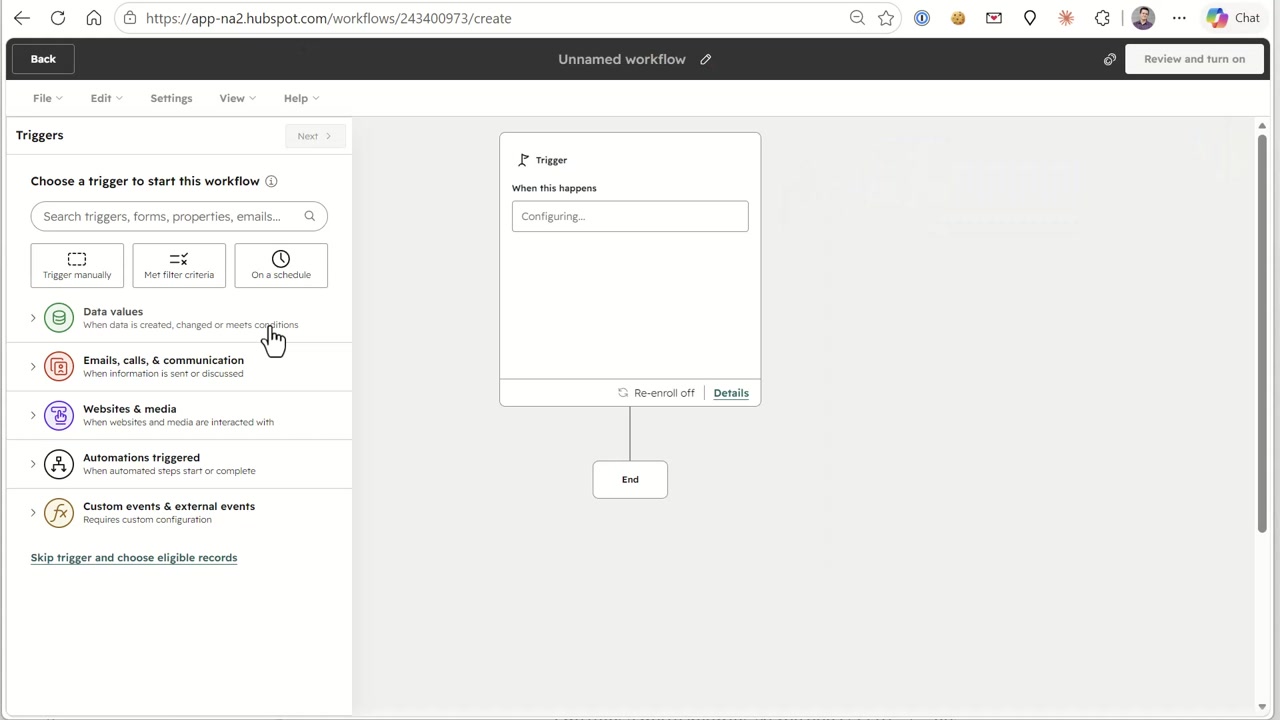
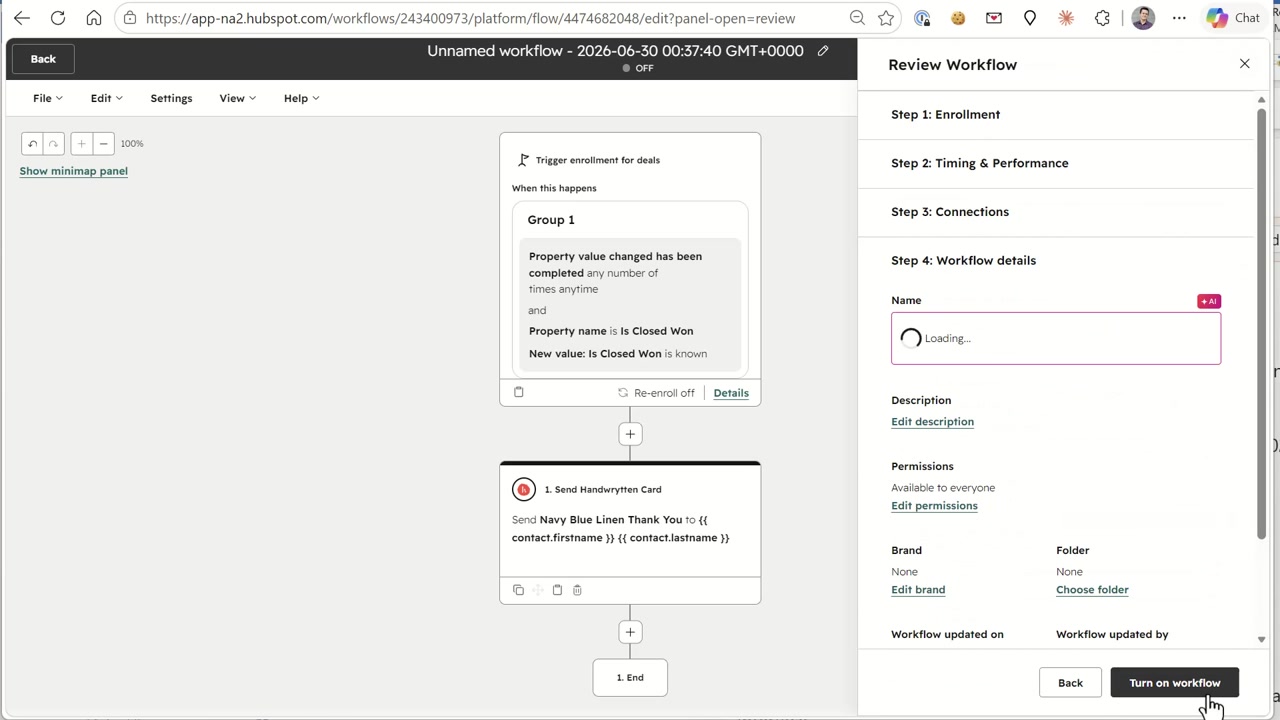
Set the enrollment to trigger for deals, then search deal properties for “Won.” Select the Is Closed Won property — true when a deal reaches the closed-won stage.
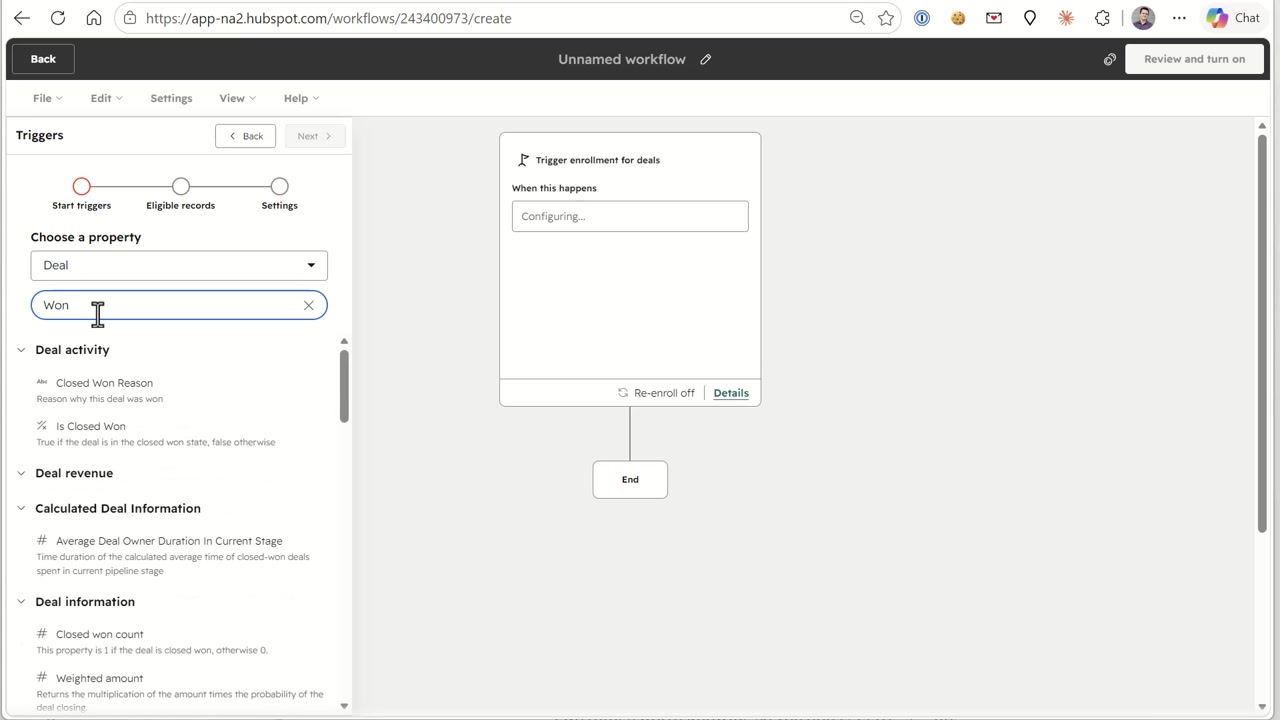
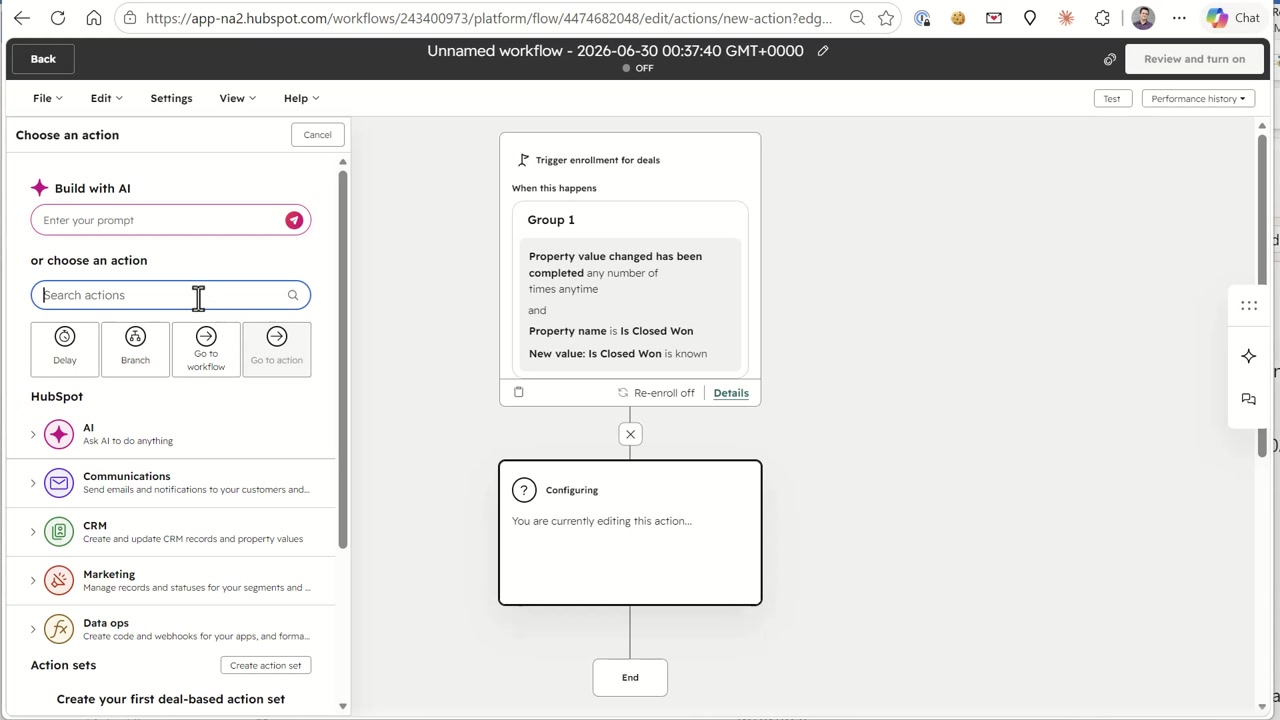
The trigger reads: property value changed, property name is Is Closed Won, and the new value is known. In other words — the moment a rep marks the deal won, the workflow fires. Next, add an action. Alongside HubSpot’s native actions (delays, branches, emails), the Handwrytten integration adds a Send Handwrytten Card action.
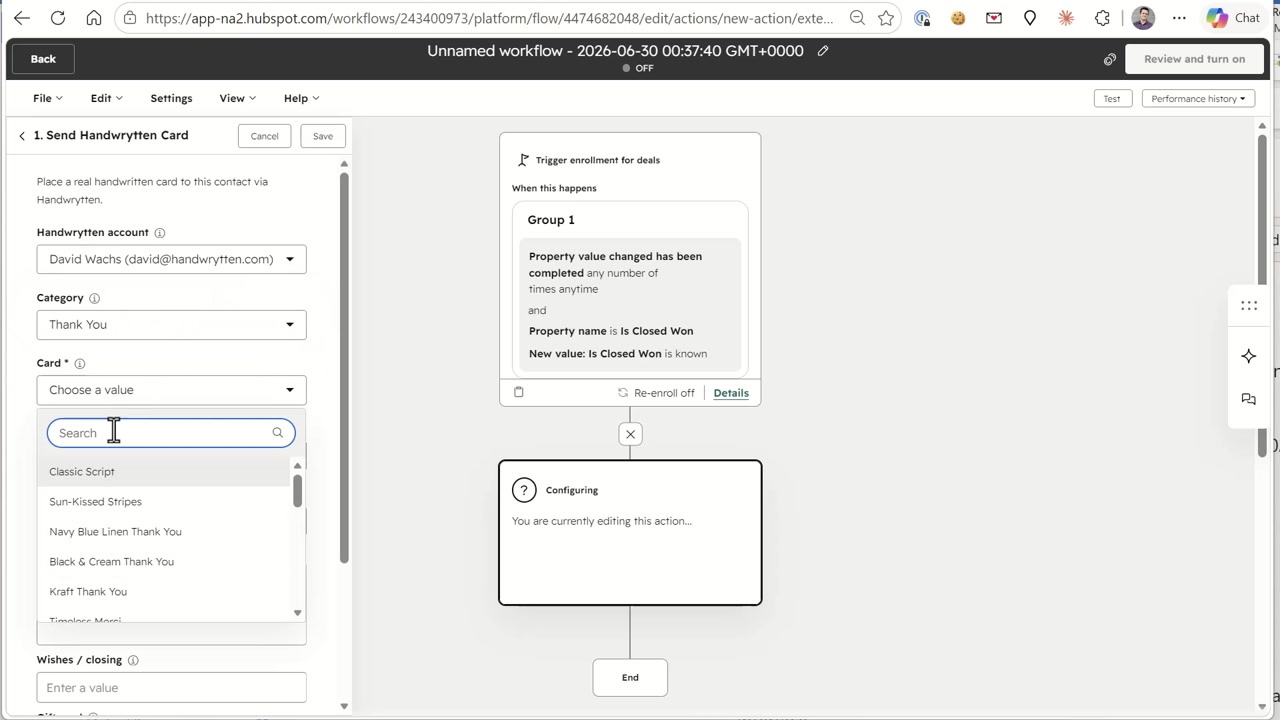
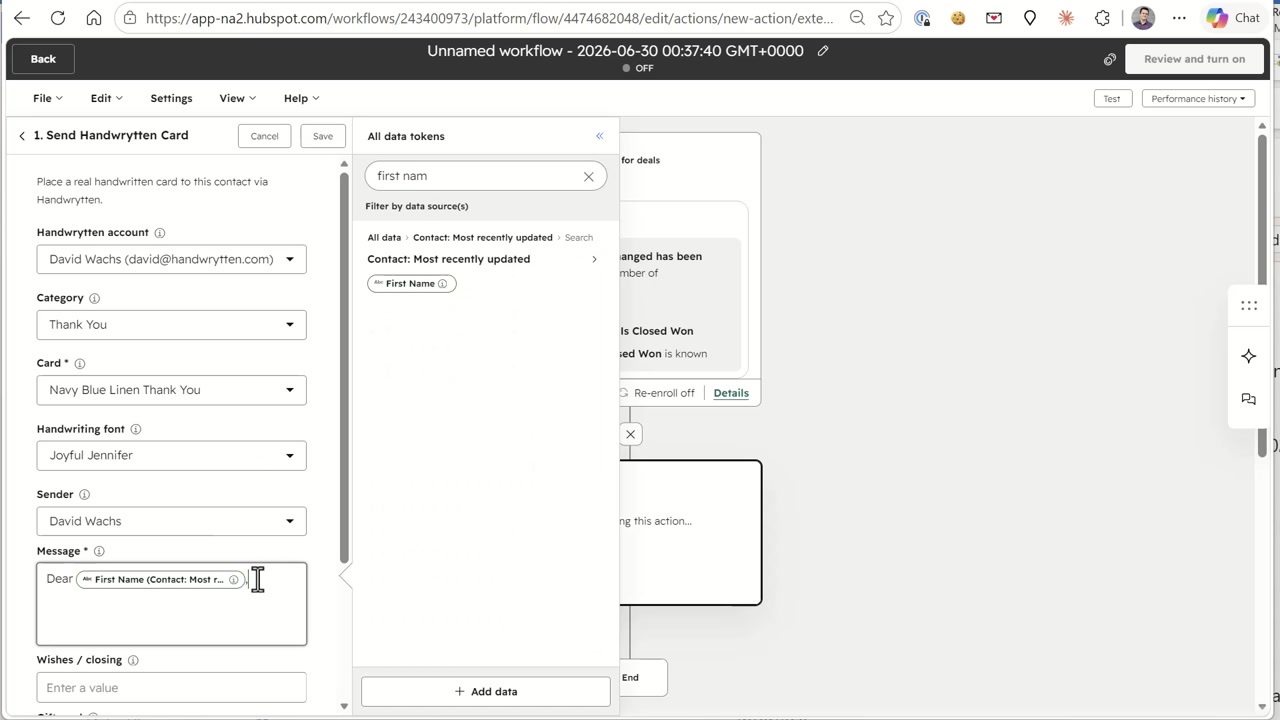
Configuring the card takes under a minute. Pick your connected Handwrytten account, choose a category like Thank You, and select a card design — Navy Blue Linen Thank You, Kraft Thank You, Black & Cream, and hundreds of others. Then choose a handwriting style (here, “Joyful Jennifer”) and the sender.
The message field supports HubSpot personalization tokens, so every card is written to the person receiving it. Type your message and insert tokens like the contact’s first name — “Dear {{ First Name }}” — exactly as you would in a HubSpot email.
Review the workflow and turn it on. That’s the entire build: deal closes, and a few days later your new customer is holding a real handwritten thank-you card.
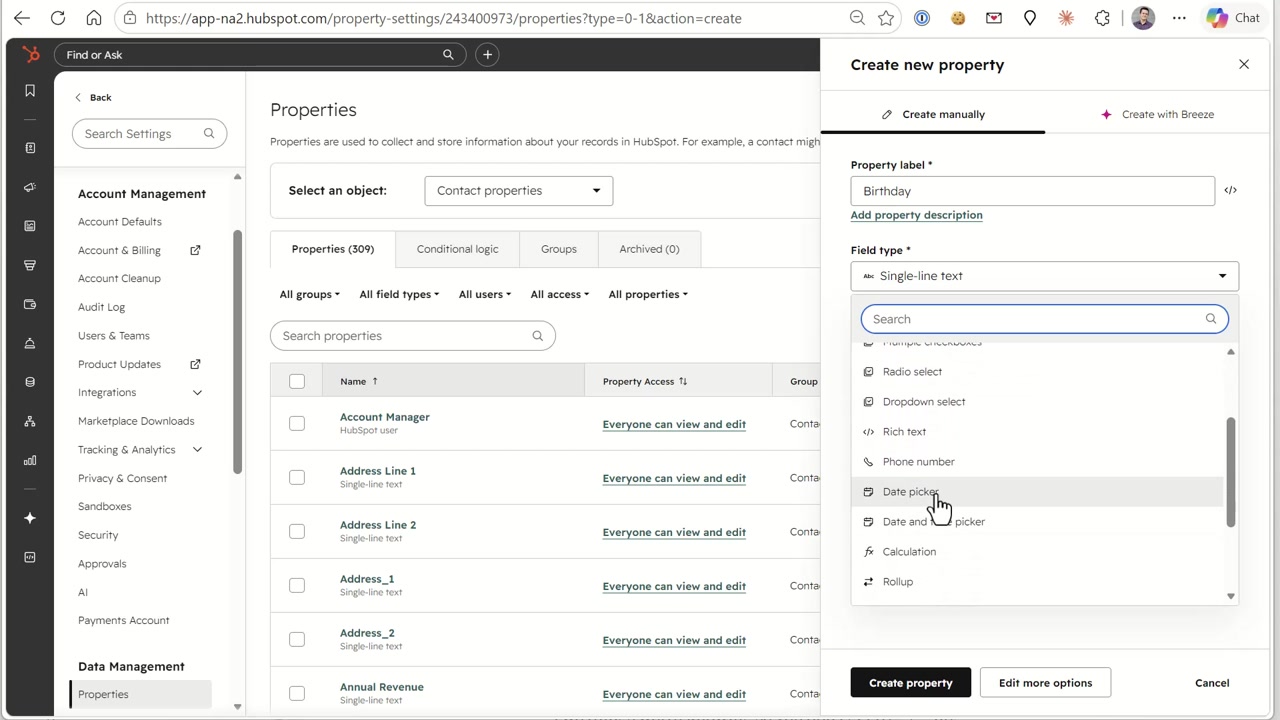
Birthday cards need one piece of setup first: somewhere to store the birthday. In Settings > Properties, create a new contact property called Birthday and set the field type to Date picker.
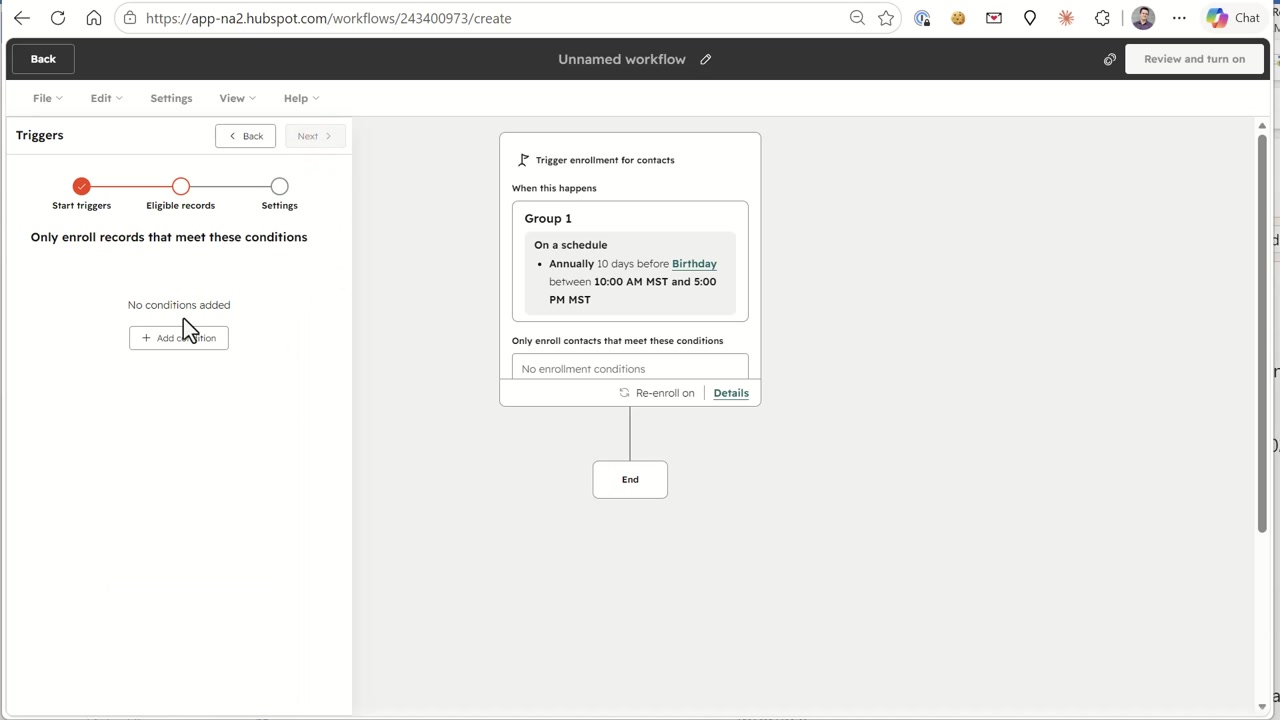
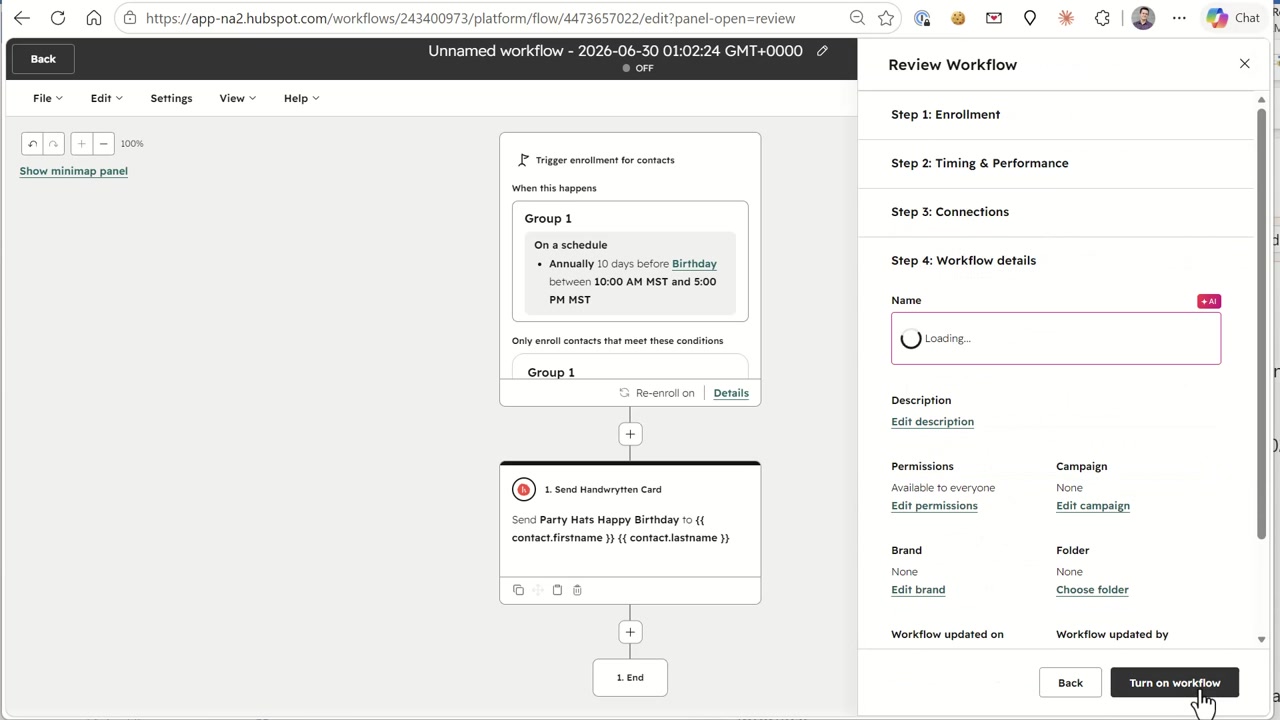
Now create a second workflow, this time enrolling contacts on a schedule. Set the frequency to Annually, timed 10 days before the contact’s Birthday property — enough lead time for the card to arrive in the mail before the big day. You can also restrict sending to business hours, like 10:00 AM to 5:00 PM.
Add the same Send Handwrytten Card action, but this time pick the Birthday category and a festive design. Choose your handwriting font and sender, write your message with personalization tokens, and you’re done.
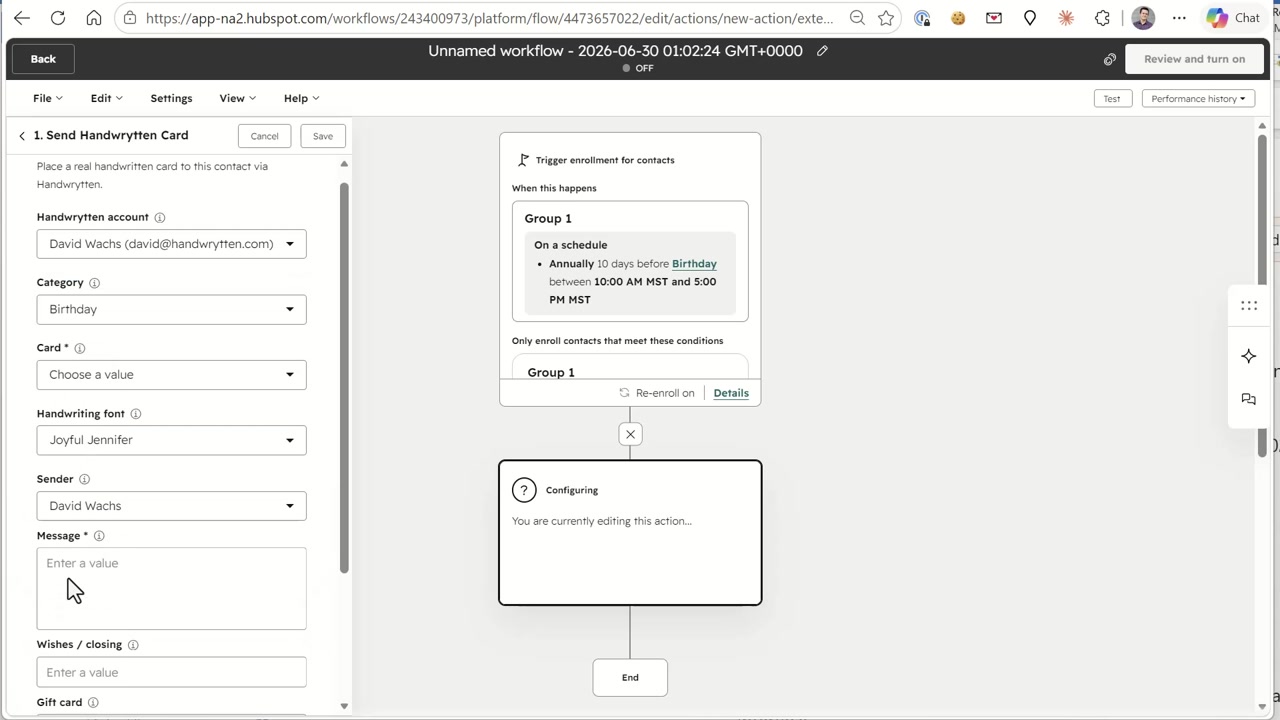
After review, turn on the workflow. Every contact with a birthday on file now gets a real handwritten card in the mail, every year, without anyone lifting a pen.
Direct mail response rates dwarf email, and a handwritten envelope is the single most-opened piece of mail there is. By wiring Handwrytten into HubSpot Workflows, you get that impact with zero manual effort:
Ready to put real handwriting into your automation? Visit www.handwrytten.com, call 888.284.5197, or email contact@handwrytten.com to get started.


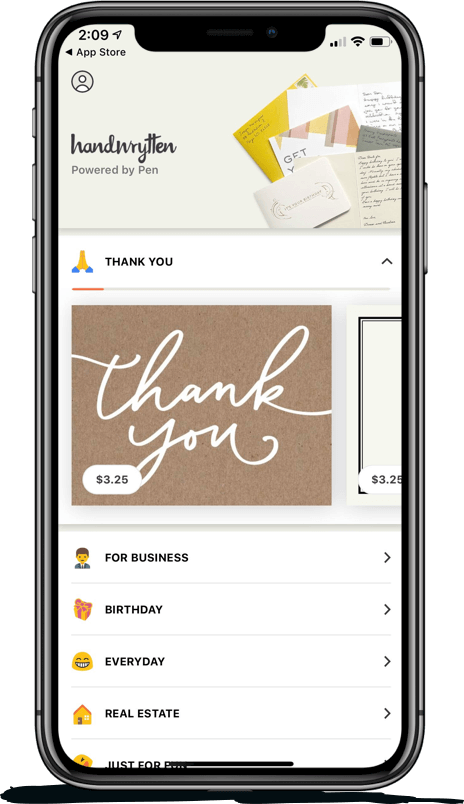
Scale your handwritten outreach, creating positive impressions and long lasting bond.
Sign Up Today!

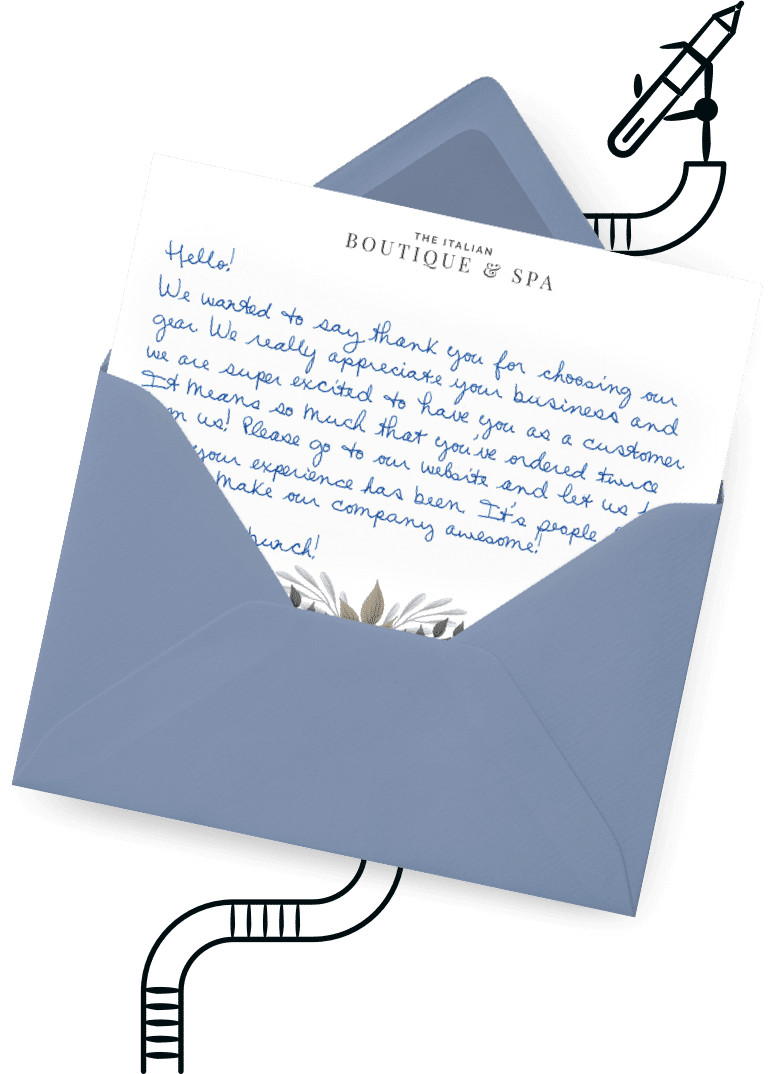

Over 100 designs to choose from or design your own. Our online card customizer makes it simple.
Check Out Our Cards!




Thank you.
